Screen Recording File Size Calculator: Estimate MB, GB, and Recording Time
Calculate screen-recording storage from estimated MB per minute and duration, add safe free-space headroom, and understand why the final file may vary.

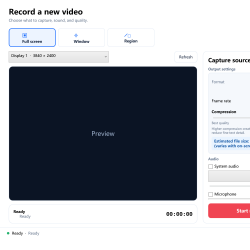
Calculate screen-recording storage from estimated MB per minute and duration, add safe free-space headroom, and understand why the final file may vary.
Plan an authorized local class recording with clear system audio, headphones, a safe capture boundary, adequate storage, power settings, and responsible sharing.
Create a short, reproducible, privacy-safe software bug video with focused capture, cursor and click effects, factual narration, trimming, and written context.
Remove the causes of recording echo by using headphones, separating system and microphone tests, disabling duplicate monitoring paths, and balancing volume.
Choose 30 or 60 FPS based on actual motion, viewer needs, processing load, storage, text clarity, and the type of screen recording.
Keep interface text readable by fixing source resolution and scaling, capturing fewer pixels, choosing appropriate FPS and compression, and avoiding repeated exports.
Capture a browser window, page region, or display with computer sound and optional narration while protecting tabs, notifications, and private information.
Choose between PowerPoint’s built-in recorder and a screen recorder, then capture slides, narration, system audio, webcam, and demonstrations clearly.
Find out whether a black recording comes from a minimized or wrong window, a preview issue, an application-specific surface, or protected content.
Diagnose a silent Windows 11 screen recording by testing system audio and microphone separately, checking devices, privacy access, volume, and playback.